Designing for people
who use this all day
Patient coordinators at Pristyn Care are the operational backbone of the business. They handle inbound enquiries, match patients to surgeons, schedule consultations, collect pre-operative information, manage follow-ups, and log every interaction all within a single working day, across multiple patient cases simultaneously.
The CRM dashboard needed to support this high-volume, high-stakes work without adding cognitive overhead. Every interaction a coordinator makes in this system has a downstream effect on a patient's care journey.
"An internal tool used by the same people every day needs to earn trust through consistency, not impress through novelty."
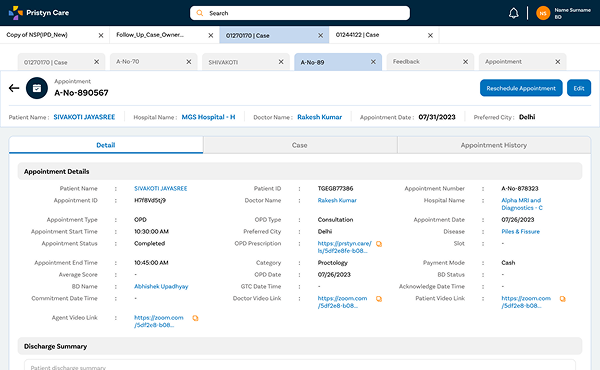
Appointment management
Scheduling, rescheduling, and tracking surgical appointments across multiple specialties and locations simultaneously.
Activity logging
Every call, message, and interaction with a patient recorded against their case, building a complete timeline of the patient journey.
Feedback & follow-up workflows
Post-consultation and post-surgery feedback collection, with structured follow-up task management to ensure no patient falls through the cracks.
Dense information, clear hierarchy
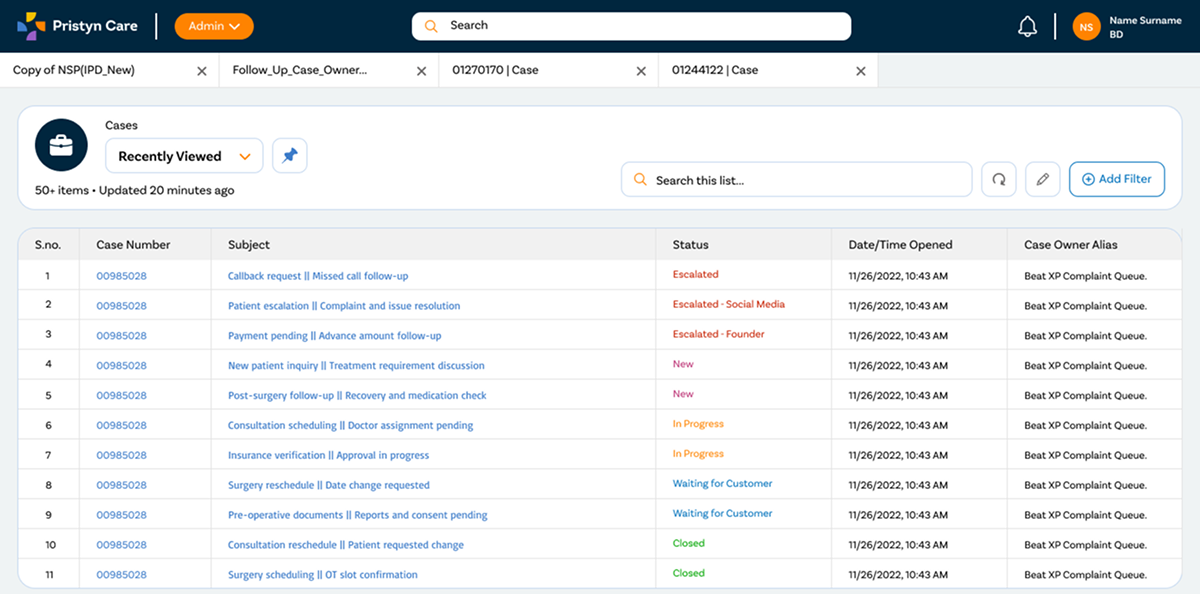
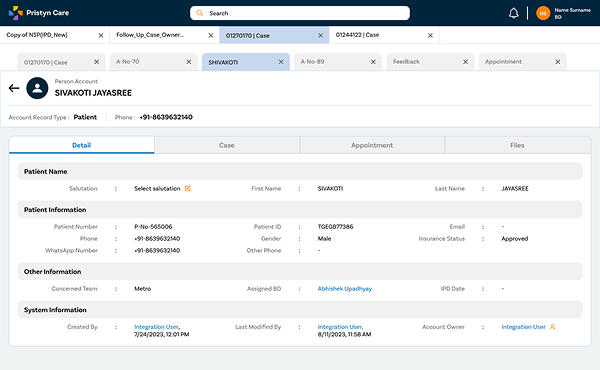
The CRM is inherently dense, patient coordinators need a lot of information on screen at once to do their jobs effectively. The design challenge was not to reduce information but to create a visual hierarchy that lets coordinators scan quickly, find what they need, and take action without breaking their flow.
Key decisions: a persistent left navigation for instant module switching, a patient card design that surfaces the most critical status indicators at a glance, and a consistent action pattern across all modules so coordinators don't have to re-learn interactions when switching between appointment management and follow-up workflows.
The dashboard